
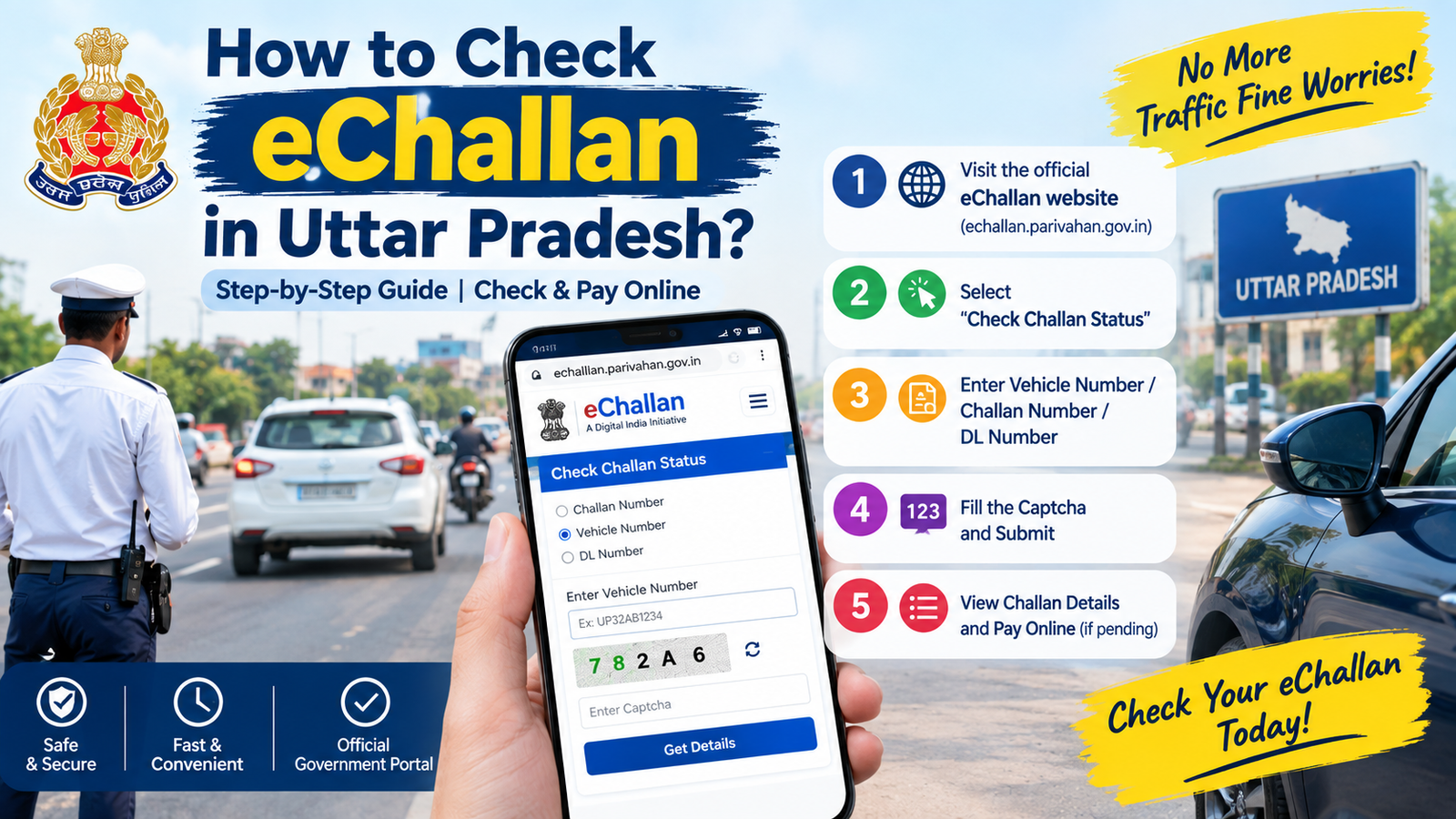
Learn how to check eChallan in Uttar Pradesh online using your vehicle number, challan number or driving licence number. Simple steps to check and pay traffic challan.
Table of Contents
Introduction
If you drive a car or bike in Uttar Pradesh, you can receive an eChallan in Uttar Pradesh for traffic rule violations. Instead of visiting a traffic police office, you can check your challan details online.
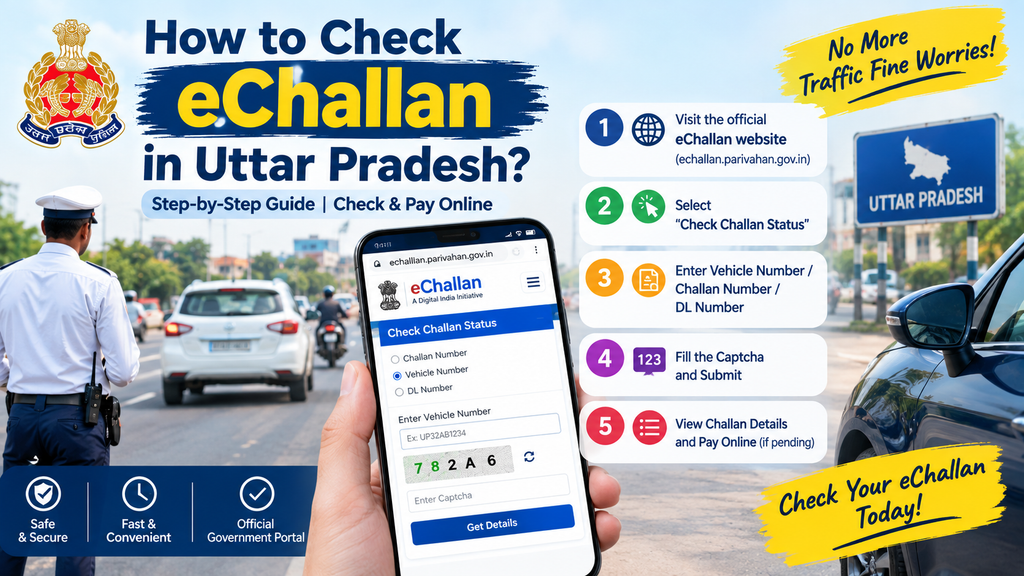
The official Uttar Pradesh Police Traffic Directorate provides online options to view traffic challans and pay online.
In this guide, we will explain how to check eChallan in Uttar Pradesh in a very simple way.
How to Check eChallan in Uttar Pradesh Online?
You can check your eChallan through the official Parivahan eChallan website.
Step 1: Open the Official eChallan Website
Visit the official eChallan portal:
Official Parivahan eChallan Portal
Always use the official website when checking or paying a challan.
Step 2: Select “Check Challan Status.”
Open the Check Challan Status option on the website.
The portal provides options for checking challan information. The official user manual also explains that users can check challan status through the system.
Step 3: Enter Your Vehicle Details
You can search using available details such as:
- Challan Number
- Vehicle Number
- Driving Licence Number
Enter the required information carefully.
Step 4: Enter the Captcha
Enter the captcha shown on the screen and submit the details.
If there is a challan linked to the information you entered, the available challan details will be displayed.
What Information Can You See?
After checking your eChallan, you may see information such as:
- Challan number
- Vehicle number
- Date of challan
- Challan status
- Traffic violation details
- Amount
- Payment status
Check all the details carefully before making a payment.
How to Pay eChallan Online in Uttar Pradesh?
If your challan is pending, you can follow the payment option shown on the official portal.
Generally, you need to:
- Check your challan details.
- Select the payment option.
- Choose the available payment method.
- Complete the payment.
- Save the payment receipt for future reference.
UP Police also provides an official Traffic Directorate Portal with options to view online challans and view/pay online challans.
How to Check UP eChallan Using Vehicle Number?
If you do not remember your challan number, you can try checking the challan using your vehicle registration number on the official eChallan portal.
Enter your vehicle number correctly and complete the captcha. If a challan is available in the system, its details can be displayed.
What If Your Challan Is Not Showing?
Sometimes a challan may not appear immediately or the information entered may be incorrect.
You can:
- Check the vehicle number again.
- Check the challan number carefully.
- Try again later.
- Use the official UP Police Traffic Directorate portal.
- Contact the concerned traffic department if there is a problem.
UP Police lists Traffic/Challan contact information for related issues on its official contact page.
Important Tips While Checking eChallan
Always remember these simple points:
- Use the official government website.
- Check your vehicle number carefully.
- Do not share OTPs or banking details with unknown people.
- Do not click suspicious challan-payment links received through messages.
- Save your payment receipt after successful payment.
- Check the challan details before making payment.
FAQs
How can I check my eChallan in Uttar Pradesh?
You can check it online through the official Parivahan eChallan portal or the UP Police Traffic Directorate portal.
Can I check eChallan using my vehicle number?
Yes, the official eChallan system provides a vehicle-number search option.
Can I pay my UP traffic challan online?
Yes, online payment is available through the official challan system where payment is enabled.
What should I do if my challan details are incorrect?
Check the information again and contact the concerned traffic/challan department if the problem continues.
Is it safe to pay a challan online?
Use only the official government challan portal for checking and payment. Avoid unknown links or unofficial websites.
Conclusion
Checking an eChallan in Uttar Pradesh is simple and can be done online. You can use your vehicle number, challan number or driving licence details on the official eChallan system to check available challan information (eChallan in Uttar Pradesh).
Before making any payment, always verify the challan details and use an official government website.
Disclaimer: This article is for general informational purposes. Online portal options and procedures can change. Always verify the latest information on the official UP Police or Parivahan website before making a challan payment (eChallan in Uttar Pradesh).
Also read:
2018 Datsun GO+ A: Price, Features, Mileage & Used Car Guide
How Often Should You Change Engine Oil? A Simple Car Maintenance Guide