Digital Cockpit Volkswagen A Case Study
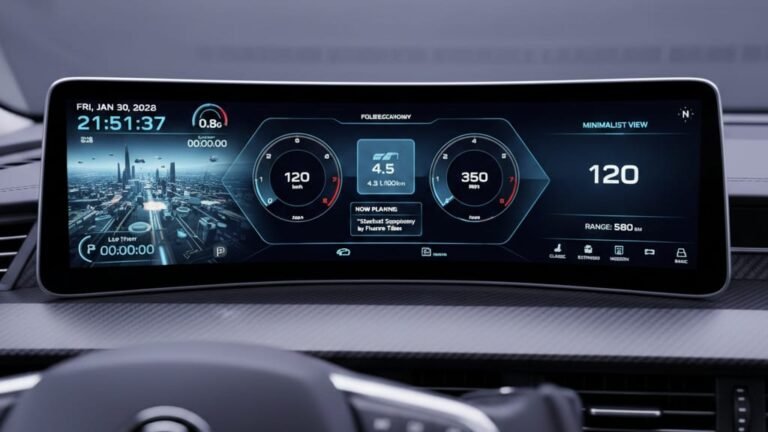
The digital cockpit in Volkswagen vehicles represents a significant leap forward in automotive technology. This system integrates various functions into a cohesive and intuitive interface, enhancing the driving experienc Pro Features Volkswagen’s Digital Cockpit Pro is equipped with advanced features that make driving more enjoyable and convenient. Some of the key features include: Step-by-Step Guide for Users To get the most out of your Volkswagen’s digital cockpit, follow these steps: following these steps, you can enhance your driving experience with the digital cockpit Volkswagen system Troubleshooting Common Digital Cockpit Issues To ensure a seamless driving experience, it’s essential to troubleshoot common issues that may arise with your digital cockpit. Resolving System Freezes and Restarts If your digital cockpit freezes or restarts unexpectedly, try restarting your vehicle or checking for software updates. Sometimes, a simple reboot can resolve the issue. For persistent problems, you may need to reset the system to its default settings. Refer to your vehicle’s manual for instructions on how to do this. Fixing Connectivity Problems Connectivity issues can be frustrating. Ensure that your smartphone or device is properly connected via Bluetooth or USB. Restarting both your device and the vehicle’s infotainment system can often resolve connectivity issues. If problems persist, check the vehicle’s manual for troubleshooting guides specific to your digital cockpit Addressing Display Glitches Display glitches can range from frozen screens to incorrect information being displayed. Adjusting the display settings, such as brightness and screen resolution, can sometimes resolve these issues. If the glitches continue, it may be necessary to update the display software or consult a professional for further assistance. Issue Troubleshooting Steps System Freezes/Restarts Restart vehicle, check for software updates, reset system to default settings Connectivity Problems Check device connection, restart device and infotainment system Display Glitches Adjust display settings, update display software Future-Proofing Your Digital Cockpit Experience As automotive technology advances, future-proofing your digital cockpit becomes increasingly important. To keep your vehicle’s digital cockpit running at its best, you need to stay informed about the latest developments in Digital Cockpit Volkswagen technology. Installing Software Updates Regular software updates are vital for maintaining the performance and security of your digital cockpit. To install updates, follow these steps: Keeping your software current not only enhances functionality but also addresses any security vulnerabilities Selecting and Installing Aftermarket Upgrades Aftermarket upgrades can significantly enhance your digital cockpit experience. When selecting upgrades, consider compatibility and the potential for integration with your existing system. Some popular aftermarket upgrades include: Upgrade Description Benefits High-resolution displays Offers clearer and more detailed visuals Enhanced user experience, improved readability…